For RimWorld and Minecraft
Everyone on the same mods.
Muster is a desktop app that keeps a group's mod setups in step. RimWorld profiles that share one install. Minecraft packs that arrive by code and stay in sync. Free, no accounts.
Minecraft · pack codes
A modpack, shared as one code.
No zip files in a Discord channel, no "which version are you on". The registry stores a pointer to your pack; players type the code once.
- 1
Host a packwiz pack
Any static host works: GitHub Pages, a folder behind nginx, an S3 bucket. The registry only needs the URL of pack.toml.
- 2
Register it, get a code
Thirty seconds on this site. You get a speakable code like amber-otter-42 and an owner token for later edits.
- 3
Friends paste the code
Muster fetches the pack, installs the loader into the official launcher and adds a profile. From then on it keeps them current.
Links work too: https://musterlauncher.com/p/amber-otter-42 pasted into the same box.
RimWorld
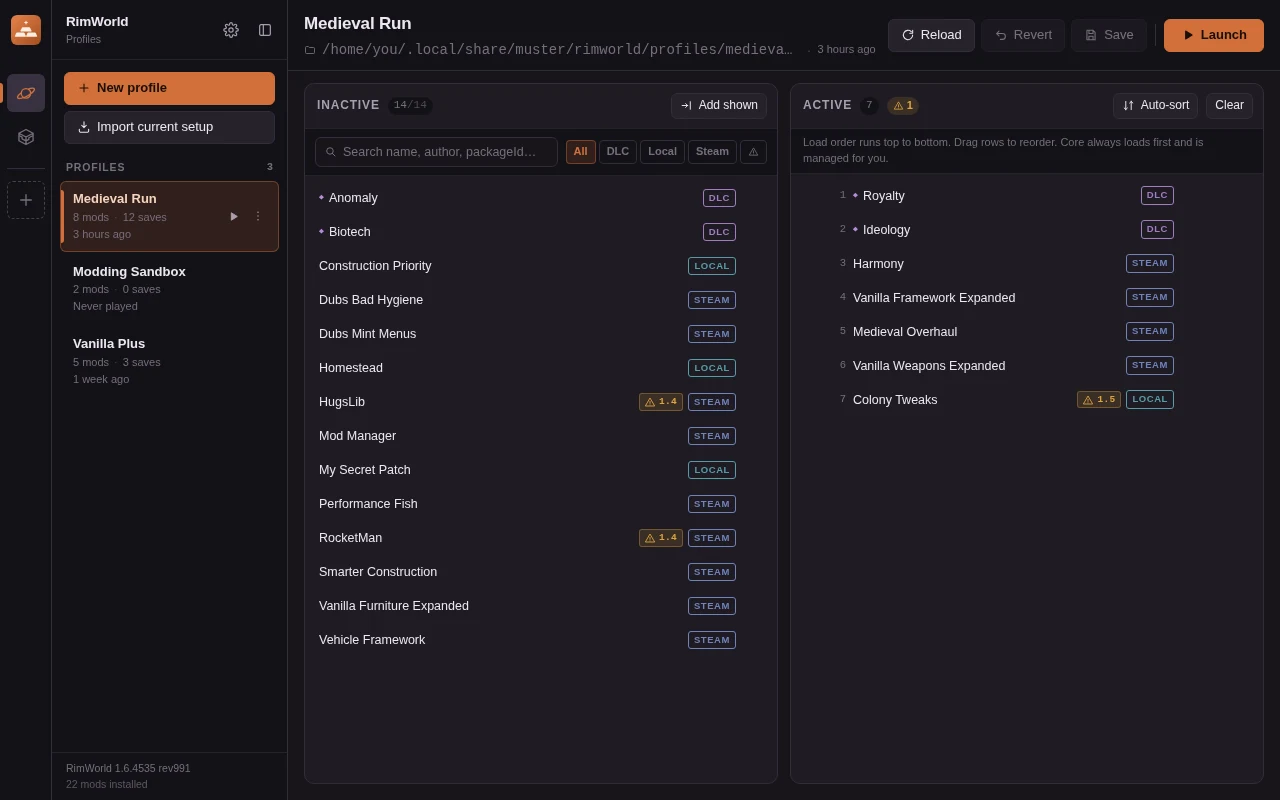
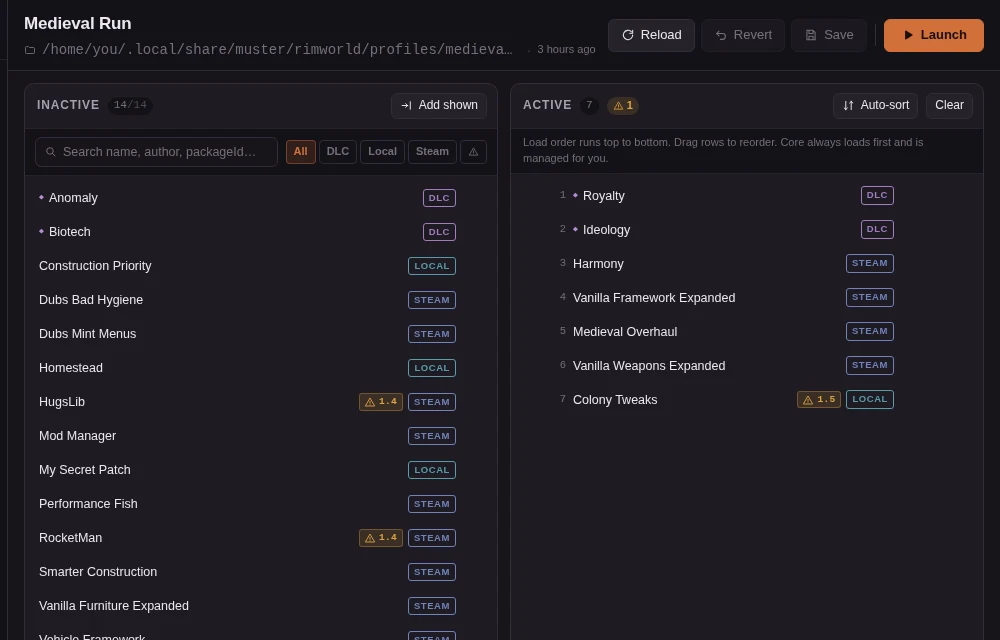
Profiles, not one giant mod list.
Each profile is its own save-data folder with its own mod list, mod settings and saves, all sharing one game install and one Workshop library.
- Mod list editor. Two columns, drag-and-drop ordering, search, DLC and source filters.
- Auto-sort. RimSort-style tiered sorting from every mod's About.xml plus the community rules database, cached for offline use.
- Warnings that explain themselves. Missing dependencies, incompatibilities, version mismatches and ordering cycles, per mod.
- Launches through Steam. Overlay and playtime keep working. Steam libraries and the game install are detected automatically.
- Import, clone, trash. Start from your current setup; deleted profiles go to the system trash, never straight to nothing.
Minecraft
One Install button per pack.
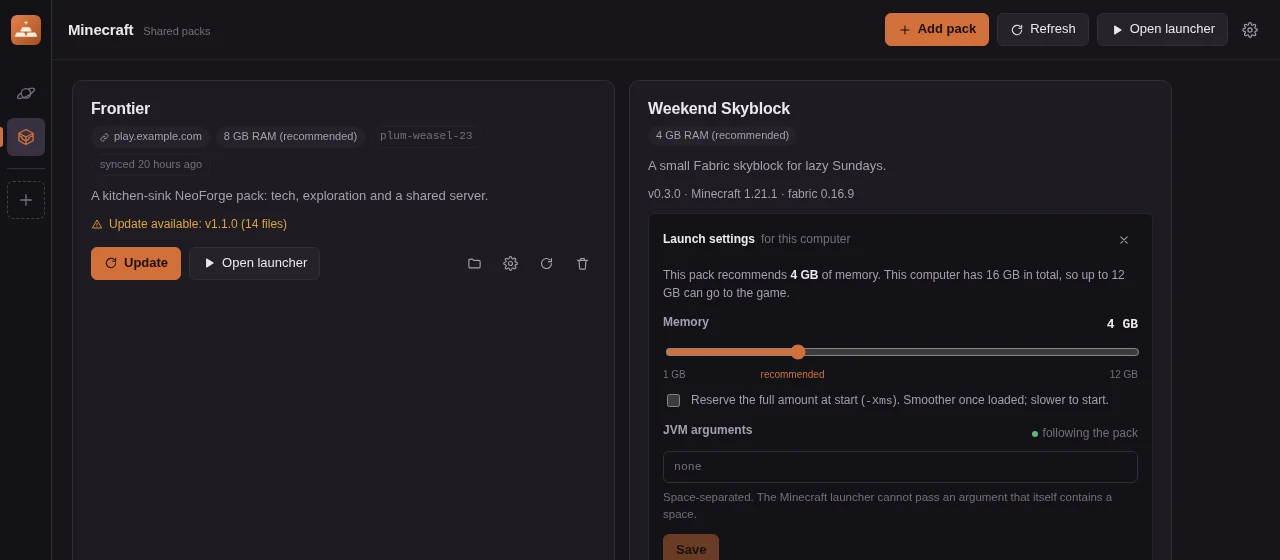
Muster syncs a packwiz pack into its own folder, installs the loader into the official Minecraft launcher, and registers a launcher profile. Open the launcher and the pack is already selected.
- Fabric, Quilt, NeoForge, Forge. The loader named in pack.toml is installed for you; no separate installer runs.
- Update badges. Muster checks upstream on open and shows exactly how many files an update touches.
- Launch settings that fit. The pack's recommended memory, clamped to the machine, with a slider for players who want more.
- CurseForge-aware. Files whose authors block automatic downloads are listed with a link, not silently skipped.
- Or a pack list URL. Groups that host their own JSON manifest can point Muster at it instead of using codes.
Under the hood
Boring in the right places.
Every download checked
Each file is hash-verified before it lands. A corrupted or tampered download never reaches the mods folder.
Updates are diffs
Muster compares the pack against what it wrote last time and downloads only what changed. Files you added yourself are never touched.
Memory fitted per machine
A pack recommends memory and JVM flags; Muster clamps them to what the computer has. Players can still override.
No accounts
Nothing to sign up for. A pack has one secret, its owner token, shown once at registration.
Works when the registry is down
Resolved packs are cached, and the RimWorld rules database is stored locally, so nothing stops working offline.
Keeps itself current
Windows and Linux builds update themselves from a signed release manifest, so nobody is stuck on an old version.